
This is the software one job at a time, in the order a yard's day happens: somebody at the counter, something loaded, something driven somewhere, and the books at the end of it. Where a module needs a key or a switch your instance does not have yet, the card says so rather than letting the list read as one long yes.
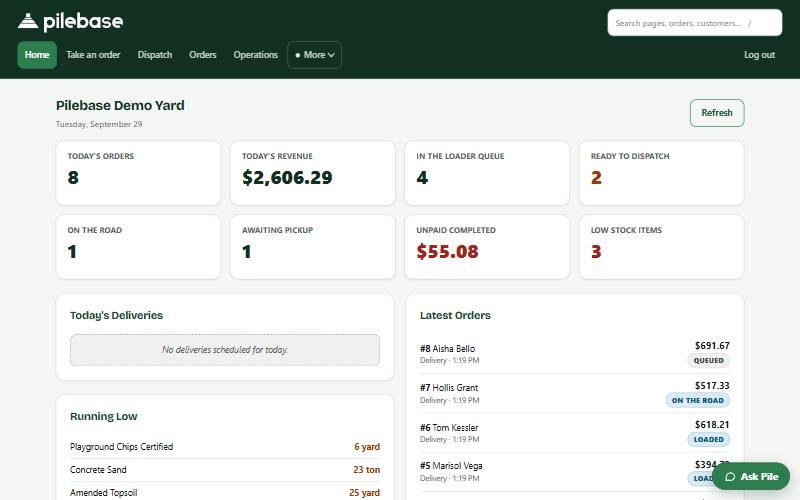
A working yard, loaded with a real day: a counter, a loader queue, two trucks out. Half an hour on a call, screen shared, and you ask about your own yard as we go.
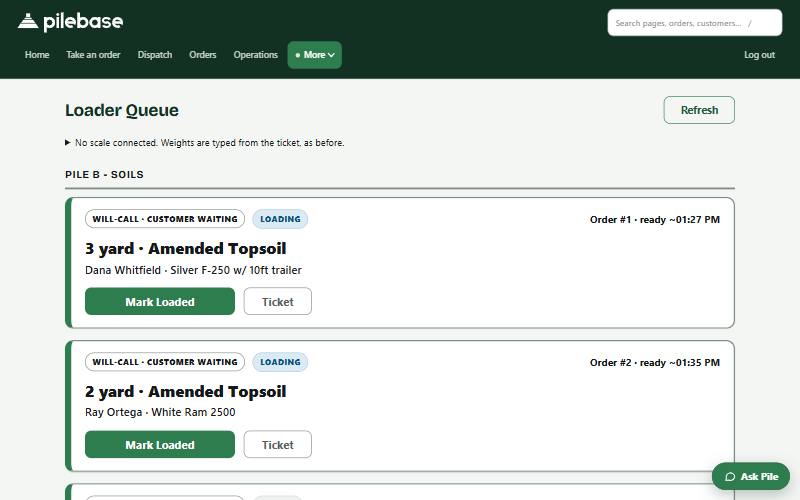
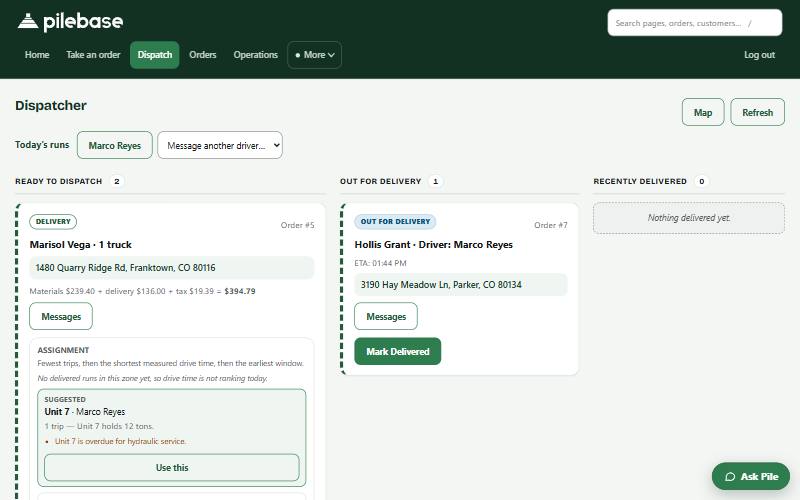
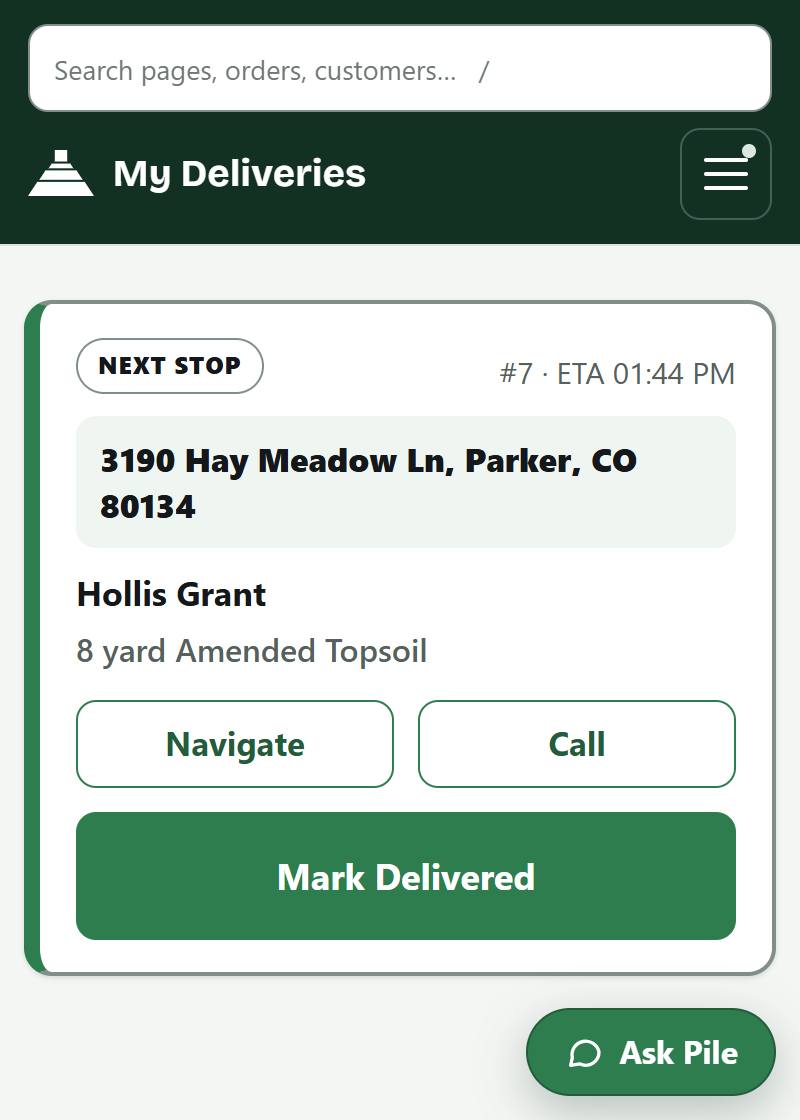
Not drawings: the yard app itself, captured from a demo yard in the middle of a morning.
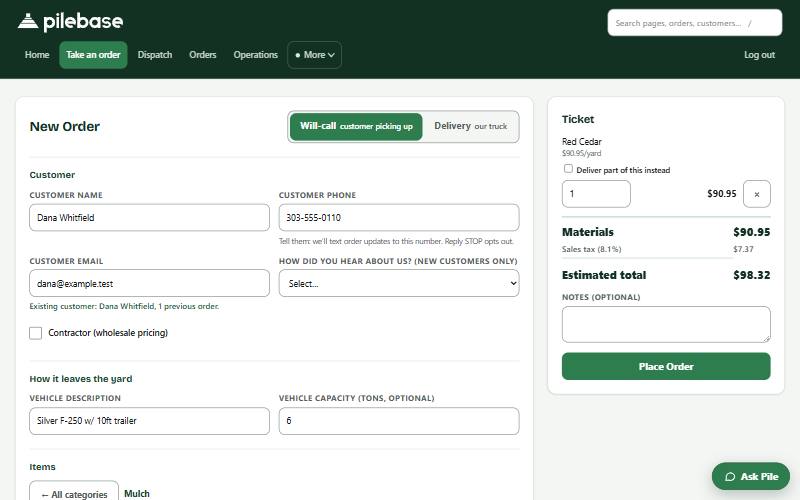
Pick the material, type the quantity, and the customer finds themselves from the last time they were in. The total on the ticket is produced by the same code that charges the card, so the number you say across the counter and the number that gets taken are the same number.
Your own ordering page inside Pilebase, where your customers buy from you: your catalogue, your prices, your photographs of your own piles, and a delivery price for their address before they pay. It works in any browser, and nothing has to be installed to use it.
Two houses your zone sheet bills the same can be nine miles and eighteen by road, and the far one is paid for out of your fuel. Pilebase asks for the real road distance and a traffic-aware drive time, slows that time down for how heavy the truck is, and prices the run on what it found.
Walk-ins and deliveries in one queue, grouped by pile, oldest first, because the same loader serves both. Two taps move an order from queued to loaded.
Loaded deliveries line up for the dispatcher. Ask the board and it ranks your trucks and drivers with the reason written out: what the truck holds against what the load weighs, who holds the right licence, what is in the shop. Each driver's stops then ride on their own phone: navigate, call, mark delivered.
Orders reserve material and loading consumes it, so available is on-hand minus promised. Two customers cannot buy the same last ten yards.
Card payments on your ordering page run on Stripe, on your own Stripe account and your own keys, into your own account; we are not in the flow of your money. At the end of an order, once its amount is final, it is written to your accounting system with materials, delivery, fees and tax as separate lines — rather than being re-keyed off a printout in the evening.
Mark a contractor once and Pilebase gives them their own price every time they order, at the counter or on your ordering page. Put them on terms and they can take the load on account, and Pilebase keeps what they owe you.
What is running low, why, and what it would take to cover it, off a forecast fitted on your own tickets rather than on an average of somebody else's yard. Under eight weeks of observation it shows you a figure and marks it low-confidence, and refuses to size a reorder from it.
Ask Pile a question about this yard and it answers from your own records, citing them, scoped to what your own login may see. It reads and navigates. It never writes: where it can draft a change, nothing happens until somebody taps Confirm.
Your current price sheet, delivery rate sheet and stock count go in as a spreadsheet, as the page you already publish, or as photographs where your instance has a model key to read them. You review every line before anything sticks.
Your own web address, owner-and-staff logins so the money stays with the owner, and a one-click export of everything you own, any time.
Not switched on yet, and it is the thing on this page we are most impatient to turn on. A contractor at six in the morning, in a truck, with gloves on, is not going to fill in your form — he is going to ring your counter, and somebody there is going to stop what they are doing and write it down. That call is the one this replaces, and it will land as the same order card every other path fills in.
Not switched on yet. It asks the questions a form cannot — how deep, pickup or delivered, which door — the way the person at your counter asks them, and it keeps asking until the order is actually orderable. Nothing is placed by the machine: what comes out the end is a filled-in card, and a person taps to confirm it, exactly as on every other path into your yard.
Not switched on yet. Say who you buy from and it finds that yard in the listings, reads that yard's own catalogue and quotes the delivery to the address it was given, with the same function the ordering page uses. Where two names sound alike it says so and asks which one, rather than picking. For a buyer who deals with three yards depending on what they need that morning, that is the whole of the time this saves.
Not switched on yet, and this is the part that decides whether it ever is. Every sentence it is about to say is scanned for digits, and any figure that did not come back from your own catalogue or from the delivery engine is refused before it is spoken — not discouraged in a prompt, refused in the wiring. A model that confidently quotes the wrong number for a ton of rock is a bill somebody argues about at your counter, and that is why this is off rather than out.
Not switched on yet. Today a marketplace buyer pays you at your counter, your usual way, and no fee changes hands at all. When checkout is switched on the money will settle to your own bank and the posted fee will come out at settlement, itemised on the order. Until then the fee on the pricing page is a published rate rather than a bill anybody has had.
It is in the code and it is off, on purpose, until it is good enough to put in front of your customers under your name. When it is switched on it will be a conversation on a buyer's web page, not a voice on your yard's phone line. What's new is where it will be announced the day that changes.
This is not generic retail software with a landscaping skin. The data model starts at the pile, and the unit a thing is sold in is the unit it stays in.
Mulch, soil, compost and rock, for walk-ins, contractors, and a delivery truck that never stops in April.
Flagstone, boulders, pavers and wall block, with the weights that decide which truck takes them and how many trips it makes.
The bulk side gets real software instead of a notepad beside the register, and plants stay on their own units, quoted by species and container size, never converted into a weight.
Road base, sand and gravel, with truck-trip quoting and delivery zones that reflect what hauling actually costs.
Twenty minutes, your real price sheet loaded live on the call, and we do the setup with you rather than sending you a manual. You'll talk with the team that builds it.